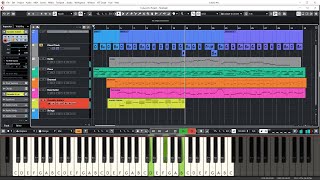
Chords for RealGuitar - MIDI Patterns
Tempo:
125.9 bpm
Chords used:
Cm
C
Eb
Tuning:Standard Tuning (EADGBE)Capo:+0fret

Jam Along & Learn...
Hey guys, welcome back to another episode of Music Marketing TV.
I'm Dan D and thanks for tuning in.
at real guitar and I'm going to show you guys how to edit
loops or create your own.
is we're going to go open up an existing MIDI loop.
we're going to go to where real guitar is, program files, and you've got music lab.
And you can see I already have a few of my own ready.
and let's just pick out basic strumming.
I'm Dan D and thanks for tuning in.
at real guitar and I'm going to show you guys how to edit
loops or create your own.
is we're going to go open up an existing MIDI loop.
we're going to go to where real guitar is, program files, and you've got music lab.
And you can see I already have a few of my own ready.
and let's just pick out basic strumming.
100% ➙ 126BPM
Cm
C
Eb
Cm
C
Eb
Cm
C
_ _ _ _ _ _ _ _
_ Hey guys, welcome back to another episode of Music Marketing TV.
I'm Dan D and thanks for tuning in.
Today we're going to be looking at real guitar and I'm going to show you guys how to edit
the MIDI loops or create your own.
So first off, what we're going to do is we're going to go open up _ _ an existing MIDI loop.
So we're going to go to _ where real guitar is, _ _ _ program files, _ and you've got music lab.
I'll use real LPC.
_ _ _ _ And you can see I already have a few of my own ready.
But let's go into their pattern library and let's just pick out _ basic _ strumming.
_ Four four time, _ eighth, 90 to 250. _ _ _ _
_ And we'll just start with S11.
_ Bam.
And then _ LSD is going to show up and just accept.
_ _ _ _ _ _ _ _
And there you go.
So here is the strum pattern.
_ And before I even start, _ _ _ _ I'm going to go to second pattern and open up real guitar, _ real LPC. _ _
_ Let's go find, I'll go on the chords. _
And I _ _ _ _ _ said four four eight, nope. _
_ [C] And this is the first one.
So there it is.
That's what a, _ _ _ _ _ _ _
[Cm] _ _ _ _ _ _ _ [N] _
cool.
So now we go back and here's that same pattern.
_ And we can change that up. _
We can do stuff like that. _
_ _ And you notice that one's up there.
That means it's an upstroke.
So what we can do is do down up down up down up. _
Down up down up down up down up.
So _ _ let's say you want that.
Okay.
We're going to go to file.
We're going to go save or save as.
Okay.
You're going to select type as MIDI.
_ You're going to go to your computer.
_ Locate the _ LPC or real guitar _ folder or strat.
And mine is in a separate hard drive.
So here's real LPC.
_ Here's my loops.
And sure, you know what?
Let's go back to where we found it _ _ and save it there.
So we used that one.
_ _ _ _ Remix. _
Just so you guys can really see the difference.
_ Save it.
_ Start it.
Oh, this is actually a very important part.
Looping mode.
It says cut remainder, leave remainder or wrap remainder.
Usually, if you haven't touched this, it's set at leave remainder.
So what you're going to have to do is put at cut remainder.
So there's no leftovers or there are no leftovers whatsoever.
So there you go.
Have it like that. Hit start.
It should finish pretty quick.
_ Let's go _ and check real LPC. _ _
_ Right?
We're going to patterns.
And there is my _ _ _ _ _ S11 basic 4-4 remix.
So now [C] _ _ _ _
_ [Eb] _ _ _ _ _ _ [Cm] _
_ there's also a whole bunch of other commands that you can find within the _ _ manual
because you can use all _ the channels. _
But that's essentially how you do it.
_ _ And I'll show you guys how to change up the picking one.
It's pretty simple.
_ _ I'm going to go back up _ and we're going to go into the picking. _ _
Just go into 8th, 9250. _ _
And here's one of mine.
But let's just choose a basic one.
_ _ _ _ _ _ [N] _
_ _ _ _ _ _ _ _
_ _ And there is the pattern.
You can see it right here.
_ _ _ _ _ On the very low notes of MIDI.
So anyway, you can go ahead and change this up.
So let's say maybe you don't like this kind of pattern.
_ You can go ahead _ _ and do your own.
Maybe you want to do something like that. _ _
Or maybe you want to keep it progressive. _ _ _
Maybe you want to have a whole chord going. _ _ _ _
Alright?
So let's just use that one. _ _
_ _ _ Alright?
We'll go do that.
We're going to hit save.
_ _ _ MIDI file.
Go find _ _ _ _ _ _ _ your real LPC or Music Lab folder.
Loops.
Pattern library.
Going to picking.
_ _ _ 4, 4, _ 8, _ 9250.
And we hit the first one and I'm going to go remix again. _ _ _
Cut remainder.
Start.
_ Bam.
Let's go find.
_ _ Let's go open up real guitar or real LPC. _ _ _ _
I'm going to go _ _ into the pattern.
I'll hit chords as well.
_ [Cm] _ _ _
I think we did basic picking.
We did 4, 4, 8.
There you go.
Here's my remix.
Ooh.
So now. _ _ _ _ _ _ _
_ _ _ So, that's pretty cool.
Check it out.
This is what it's doing. _ _ _ _ _
_ _ _ _ _ _ _ _
_ _ _ _ _ Pretty cool.
So I'm Dan D from Music Marketing TV.
Hope you guys enjoyed this tutorial on real LPC _ _ MIDI looping.
_ Creating your own.
Editing the existing loops.
_ And I'll catch you guys in the next episode.
_ [N] Peace!
_ Hey guys, welcome back to another episode of Music Marketing TV.
I'm Dan D and thanks for tuning in.
Today we're going to be looking at real guitar and I'm going to show you guys how to edit
the MIDI loops or create your own.
So first off, what we're going to do is we're going to go open up _ _ an existing MIDI loop.
So we're going to go to _ where real guitar is, _ _ _ program files, _ and you've got music lab.
I'll use real LPC.
_ _ _ _ And you can see I already have a few of my own ready.
But let's go into their pattern library and let's just pick out _ basic _ strumming.
_ Four four time, _ eighth, 90 to 250. _ _ _ _
_ And we'll just start with S11.
_ Bam.
And then _ LSD is going to show up and just accept.
_ _ _ _ _ _ _ _
And there you go.
So here is the strum pattern.
_ And before I even start, _ _ _ _ I'm going to go to second pattern and open up real guitar, _ real LPC. _ _
_ Let's go find, I'll go on the chords. _
And I _ _ _ _ _ said four four eight, nope. _
_ [C] And this is the first one.
So there it is.
That's what a, _ _ _ _ _ _ _
[Cm] _ _ _ _ _ _ _ [N] _
cool.
So now we go back and here's that same pattern.
_ And we can change that up. _
We can do stuff like that. _
_ _ And you notice that one's up there.
That means it's an upstroke.
So what we can do is do down up down up down up. _
Down up down up down up down up.
So _ _ let's say you want that.
Okay.
We're going to go to file.
We're going to go save or save as.
Okay.
You're going to select type as MIDI.
_ You're going to go to your computer.
_ Locate the _ LPC or real guitar _ folder or strat.
And mine is in a separate hard drive.
So here's real LPC.
_ Here's my loops.
And sure, you know what?
Let's go back to where we found it _ _ and save it there.
So we used that one.
_ _ _ _ Remix. _
Just so you guys can really see the difference.
_ Save it.
_ Start it.
Oh, this is actually a very important part.
Looping mode.
It says cut remainder, leave remainder or wrap remainder.
Usually, if you haven't touched this, it's set at leave remainder.
So what you're going to have to do is put at cut remainder.
So there's no leftovers or there are no leftovers whatsoever.
So there you go.
Have it like that. Hit start.
It should finish pretty quick.
_ Let's go _ and check real LPC. _ _
_ Right?
We're going to patterns.
And there is my _ _ _ _ _ S11 basic 4-4 remix.
So now [C] _ _ _ _
_ [Eb] _ _ _ _ _ _ [Cm] _
_ there's also a whole bunch of other commands that you can find within the _ _ manual
because you can use all _ the channels. _
But that's essentially how you do it.
_ _ And I'll show you guys how to change up the picking one.
It's pretty simple.
_ _ I'm going to go back up _ and we're going to go into the picking. _ _
Just go into 8th, 9250. _ _
And here's one of mine.
But let's just choose a basic one.
_ _ _ _ _ _ [N] _
_ _ _ _ _ _ _ _
_ _ And there is the pattern.
You can see it right here.
_ _ _ _ _ On the very low notes of MIDI.
So anyway, you can go ahead and change this up.
So let's say maybe you don't like this kind of pattern.
_ You can go ahead _ _ and do your own.
Maybe you want to do something like that. _ _
Or maybe you want to keep it progressive. _ _ _
Maybe you want to have a whole chord going. _ _ _ _
Alright?
So let's just use that one. _ _
_ _ _ Alright?
We'll go do that.
We're going to hit save.
_ _ _ MIDI file.
Go find _ _ _ _ _ _ _ your real LPC or Music Lab folder.
Loops.
Pattern library.
Going to picking.
_ _ _ 4, 4, _ 8, _ 9250.
And we hit the first one and I'm going to go remix again. _ _ _
Cut remainder.
Start.
_ Bam.
Let's go find.
_ _ Let's go open up real guitar or real LPC. _ _ _ _
I'm going to go _ _ into the pattern.
I'll hit chords as well.
_ [Cm] _ _ _
I think we did basic picking.
We did 4, 4, 8.
There you go.
Here's my remix.
Ooh.
So now. _ _ _ _ _ _ _
_ _ _ So, that's pretty cool.
Check it out.
This is what it's doing. _ _ _ _ _
_ _ _ _ _ _ _ _
_ _ _ _ _ Pretty cool.
So I'm Dan D from Music Marketing TV.
Hope you guys enjoyed this tutorial on real LPC _ _ MIDI looping.
_ Creating your own.
Editing the existing loops.
_ And I'll catch you guys in the next episode.
_ [N] Peace!